- Stories
- Reels
- 9:16
A spinning vinyl post for release day
Share your new single as a spinning vinyl video on Stories and Reels, with the title and lyrics on screen.
Previewing and fine-tuning a video needs a bigger screen. Open this page on your computer to create one. Finished videos are in My Videos on any device.
Cover Player turns your song and album art into a spinning vinyl video. Put your cover on a spinning record, slide it out of a CD case or show it on a Now Playing card, with synced lyrics underneath. Export in 9:16 or 16:9.
A moving cover stops the scroll better than a still image. Here is when artists use one.
Share your new single as a spinning vinyl video on Stories and Reels, with the title and lyrics on screen.
Pick the chorus and export a short vertical clip of your cover in a CD case, ready for Stories or a profile post.
Your YouTube upload is just a still image? Give the full song an animated album cover that moves with the music for its whole length.
Run a playlist or a music channel? Make a Now Playing card for every track so it all looks like one consistent series.
Five player designs for album cover animation, audio-reactive motion and the tools to make your artwork fit every platform.
Your cover at the center of a spinning record, with scrolling lyrics below.
A holographic disc slides out of a clear case and spins.
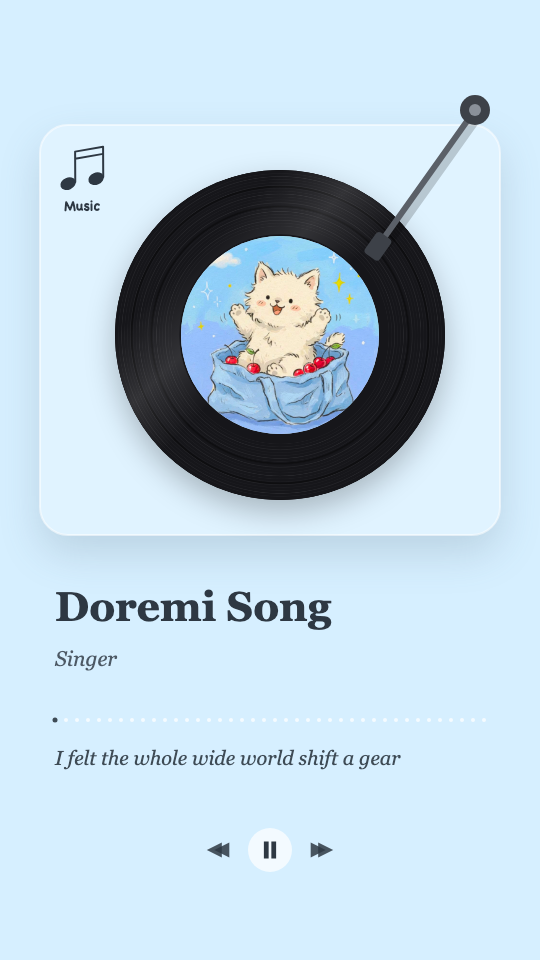
A hand-drawn record player with a tonearm and a cover sticker.
Issue number, lyrics, a short note and a spectrum progress bar.
A slowly turning illustration with a live waveform and sparkles.
Pick a preset, type your own or pull colors straight from the cover.
Zoom and frame the cover so the best part sits in the center.
Recognize the lyrics or import an LRC/SRT file, and they appear in time with the song. Fix any line and tap to re-time it.
Your artwork stays the star. We just make it move with the music.
Not a looping GIF. The vinyl's rings pulse with the volume, the CD slides further out on the loud parts and the progress bar follows the track.
Swap designs, colors and lyrics while your song plays. The preview is the final render, and previewing never costs credits.
Every design comes with its own layout, fonts and colors, plus a library of preset illustrations you can use until your cover is ready.
Export the same design in 9:16 and 16:9 at 1080p, without rebuilding anything.
Your cover art and your song are all you need.
Upload audio or pick from My Music, then upload a PNG, JPG or WebP cover, or start with a preset illustration.
Vinyl record, CD case, doodle record player, round illustration or Now Playing card.
Set the title and artist, pick colors from your art, add lyrics and export a 1080p MP4.
What artists ask before making their first cover video.
Add your song, upload your cover art, pick the vinyl design and export. The record spins and pulses with your music automatically.
Yes. You can preview every design with a sample song for free. New accounts get 10 free credits, enough to export your first cover video.
9:16 for TikTok, Reels and Stories, or 16:9 for YouTube, both as a 1080p MP4.
PNG, JPG or WebP up to 20 MB. You can also start with one of our preset illustrations.
Yes. Turn on lyrics and they appear in time with the vocals, under or around your cover.
Upload your artwork, add your song and export a spinning vinyl video in minutes.